Your engineering data already exists in silos across requirements, models, parts, analysis, manufacturing, and more. SBE Vision lets your teams build the thread as they work, keeping meaning and version intact, so any change can be traced from source to impact.
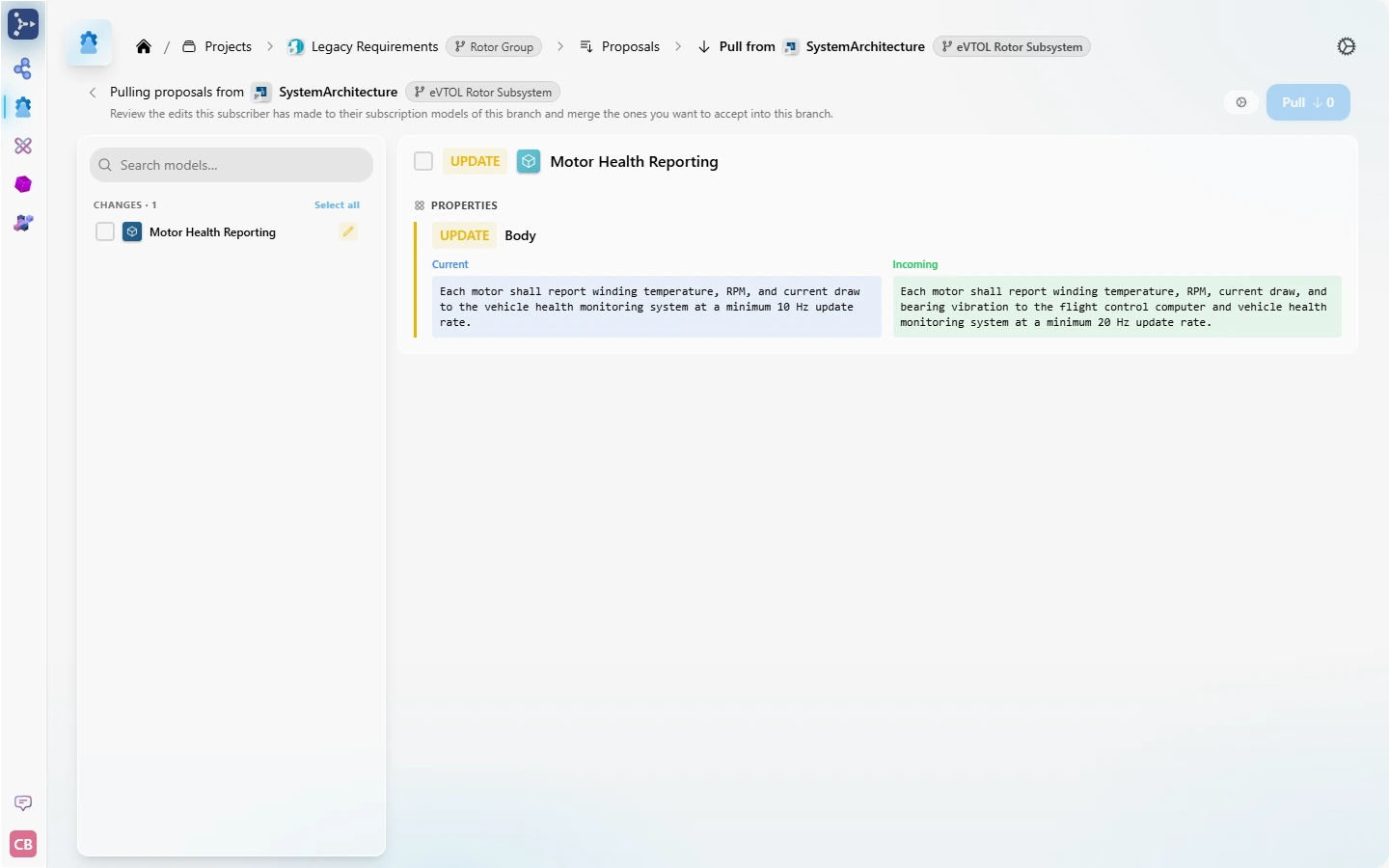
Proposed change to Motor Health Reporting awaiting owner review.
PDR baseline captured for eVTOL Air Taxi across all 7 connected tools.
Branch rev2 of Rotor Group Requirements finalized and published to the thread.
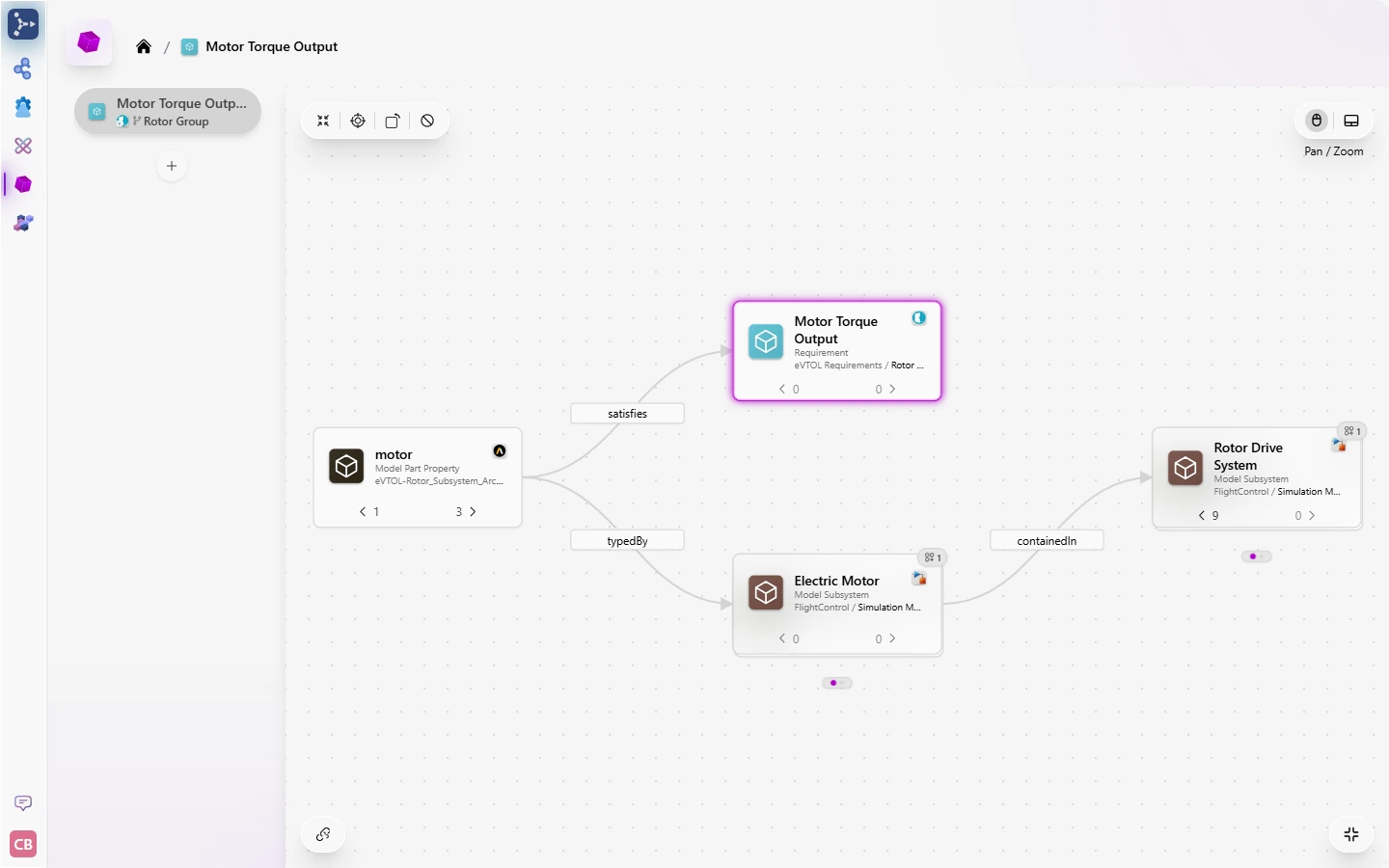
Link created: Motor Torque Output satisfied by Electric Motor in Cameo.
Rotor Group BOM rev B published. Cameo and Teamcenter subscribers refreshed.
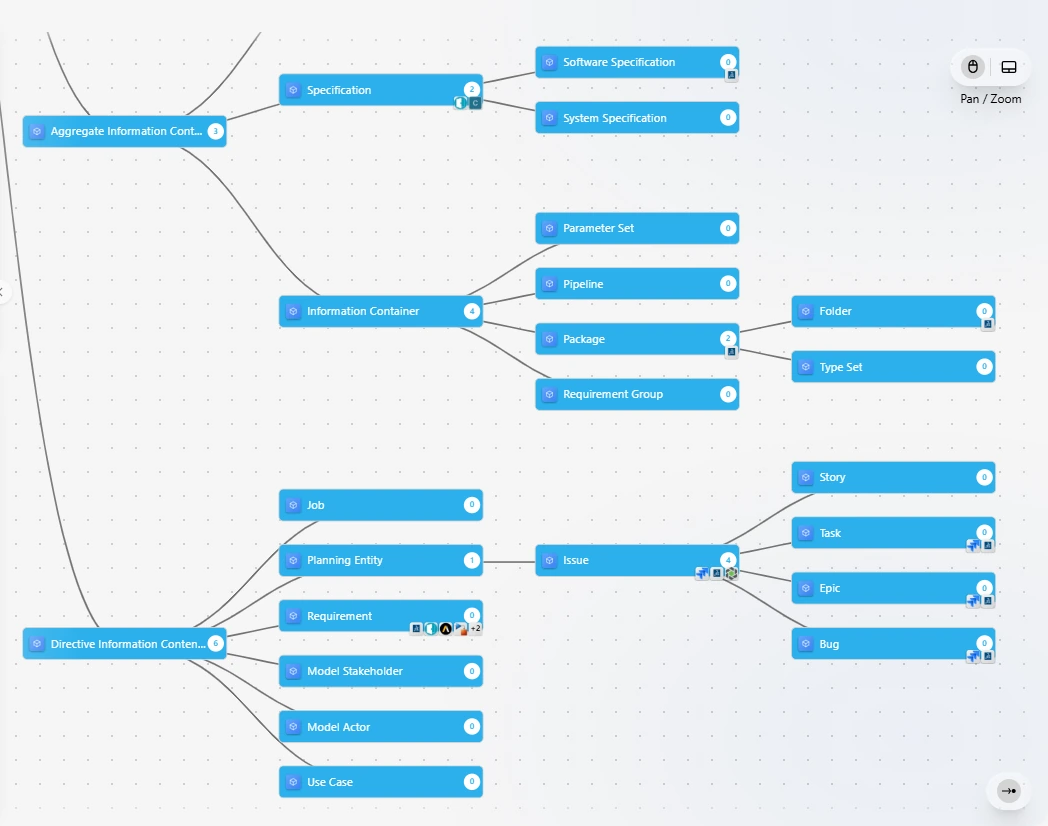
Many platforms call a data model an ontology. SBE Vision runs on a true semantic ontology that understands what your data means, in your own engineering language. Start with our Model Based Engineering (MBE) ontology or import your own.


Because the ontology gives every tool’s data a shared meaning, Model Browser can follow a requirement to the parts and subsystems that satisfy it, wherever they were authored.
Every team keeps working in its own tools without overwriting anyone else. When someone changes shared data, it arrives as a proposal, and the owner of that data decides whether to accept it.

AI is only as trustworthy as the data beneath it. It needs meaning, connections across domains, configuration context, and provenance, and none of that can be inferred after the fact. SBE Vision builds it as engineering happens, on top of the tools you already use.
Author, connect, trace, and report. ThreadIQ™ answers in plain language, grounded in your connected engineering data.
Extend MBE to fit your own customizations, adding what’s unique to your programs without changing the core.
Pre-built adapters for your engineering tools, plus an SDK for in-house systems. Each tool stays the authoritative source for its data.
Role-based and attribute-based access control on every item, in every deployment model.
Security & Scalability →Go deeper on the products that connect your tools, share your thread, and put it to work.
Tell us which tools your program runs on. We’ll show you the platform working with them.